
Today we leave you to download the new official firmware for the TV-Box Android zidoo x10 firmware Android 6.0 download.
This firmware is for zidoo x10 with ARM Cortex–A53 CPU
Download Firmware:
| Download Link | File Name |
| Download | Mirror | X10-v2.1.40-202006150918 |
| Download | Mirror | X10-v2.1.36-202001141648-ota |
| Download | Mirror | X10-v2.1.28-201907241436-ota |
| Download | Mirror | v2.1.25 – X10-v2.1.25-201905051058-ota.zip |
| Download | Mirror | v2.1.22 – ZIDOO_X10- v2.1.22-201901171342-ota |
| Download | Mirror | v2.1.14 – ZIDOO_X10-v2.1.14-201810081824-ota.zip |
Firmware Details:
Package Name: ZIDOO_X9S-v2.1.14-201810081824-ota.zip
Device Model: Zidoo X10 TV Box
File Size: 493 MB
Processor: Realtek RTD1295 CPU
Android OS: 6.0.1 Marshmallow
Build Number: X10-v2.1.40-202006150918
Features of zidoo x10 TV Box:
- Support 5.1 surround sound output, capture your ears with actual listening feelings
- Rapid and stable system: Android 6.0 version provides you the benefit of using all the latest updates and having access to all the tools, games, and Apps at the play store smoothly
- A high performance of Quad-core Cortex-A53 CPU can play a wide range of games
- Supports 4K video gives you a high-quality video experience
- HDMI 2.0 is a faster way to send video and audio output to your TV
- 4K H.265 decoding can help you save 50 percent bandwidth resource, and deliver razor-sharp detail and vibrant images
- Remote control is powered by 2 x AA battery ( not included )
How to Flash Zidoo X10 Firmware
- Download and Extract the Zidoo X10 Stock Firmware on the Computer.
- Once you have extracted the zip package on the computer, you will be able to get the How-to Flash Guide, USB Driver, Flash Tool and update.zip Flash File (ROM).
- Now, install the provided USB Driver on the Computer.
- Now, Connect your Device to the computer using the USB Cable.
- Once your device is connected to the computer, Copy the update.zip file to the phone SD memory.
- Now, disconnect your device from the computer.
- Now, Turn Off your device and boot the device into the Recovery mode (Press and Hold Volume UP + Power Key).
- Once your device is booted into the recovery mode, select the update.zip file to flash it.
- Once Flashing is completed, restart the device.
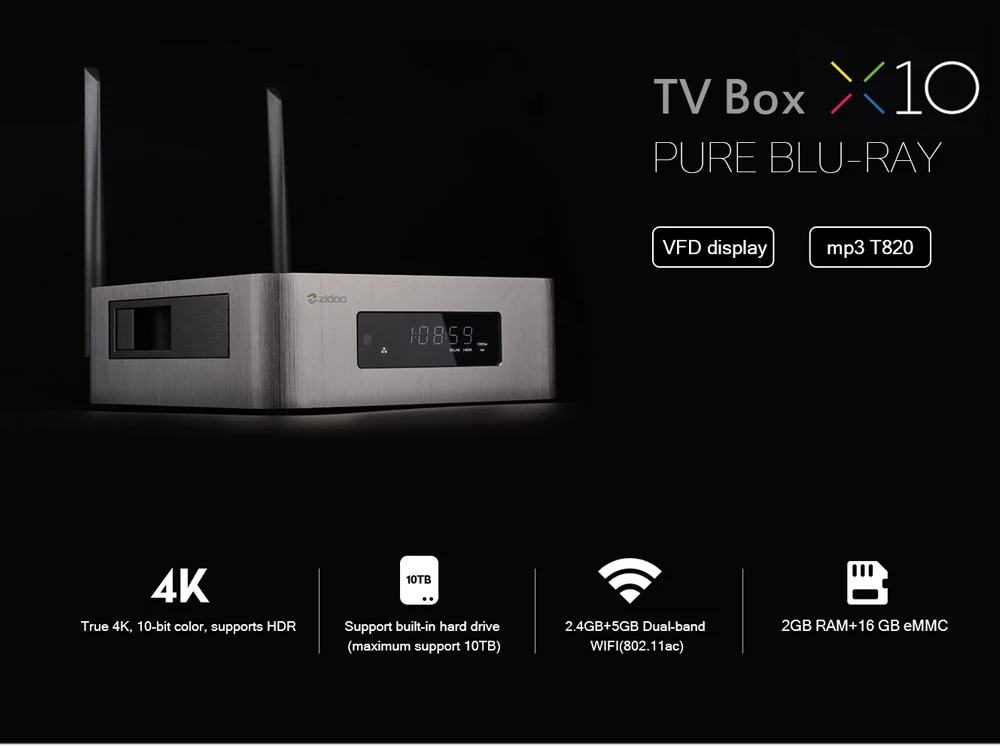
specifications of Zidoo X10 Smart TV Box
- OTA Update: Yes
- IPTV: Yes
- Weight: 2.53 KG
- Wireless: Yes
- Video Output: HDMI 2.0
- Max. Extended Capacity: TF Card Up To 32GB
- Internal Storage: 16GB eMMC
- Memory: 2G DDR3
- Model Number: Zidoo x10
- System Upgrade: Yes
- Bluetooth: Yes
- Ethernet: 1000M
- Brand Name: zidoo
- Remote Control: Included
- OS: Android
- GOOGLE Cast: Yes
- GPU: ARM T820 MP3(3-core)
- CPU: Realtek RTD1295 ARM Cortex-A53 Quad-Core
- Display: VDF display
- Shell: Aviation Aluminum alloy case
- OS: Android 6.0 + OpenWRT(NAS) dual system run simultaneously
- Wifi Connectivity: IEEE 802.11a/b/g/n, 802.11AC,4.900 GHz ~ 5.845 GHz (5.0 GHz ISM Band)
- Ethernet: 1*RJ-45 Ethernet Jack (10/100/1000Mbps)
- Bluetooth: BT4.0
- Video decode 1: HDR, 10-bit HEVC/H.265 up to 4K @ 60fps, VP9 up to 4K @ 60 fps
- Video decode 2: H.264 up to 4K @ 24 fps, automatic frame rate switching
- Material: Aluminium
- Color depth: 10 bit color
Leave a Reply