
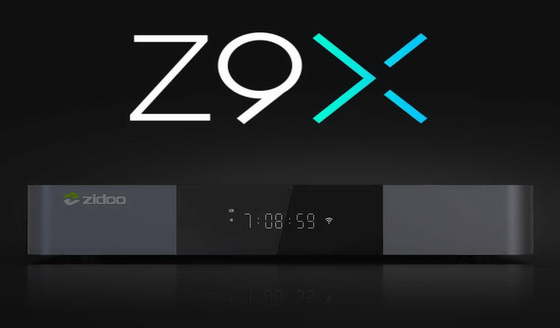
This firmware is for Zidoo Z9X TV Box with Realtek RTD1619DR as CPU.

Download Android Pie v6.34.06 stock firmware for Zidoo Z9X TV Box from here (with Google Play) or here (without Google Play). Download previous firmware from here.
Firmware details
Archive: Z9X_P_v6.4.06_G_202205211544_ota-package / Z9X_P_v6.4.06_202205211524_ota-package
Model: Zidoo Z9X TV Box
Image file size: 777 MB / 716 MB
Platform: Realtek RTD1619DR
Update file name: Z9X_P_v6.4.06_G_202205211544_ota-package.zip / Z9X_P_v6.4.06_202205211524_ota-package.zip
Build number: rtk/thor32/thor32:9/PPR1.180610.011/jiangbo05211528:userdebug/test-keys

How to upgrade
First: Click “ABOUT”→”Update”→”Local update” in succession
Second: Choose the OTA zip file from you Udisk.
Verifying the ota file
Copying the ota file
When finished copy, click “Update”
Wait the updating (please don’t turn off the power)
When it finished, then the unit will automatically restart,the upgrade is success.
Reopen the About page, the Software Version is the new version now.
Changelog
System
1. Added the global information key to display HDR mode information.
Music Player
1. Fixed the problem of repeated album data.
2. Modified some English translations.
3. Fixed the problem that some album folders could not be scanned.
4. Fixed the problem that the album files are not sorted correctly.
Since v6.3.98
System
1. Optimized sound delay problem when video is paused and replay for HDMI RAW output.
2. Fixed the problem that the HDMI IN will be disconnected when the HDMI output is disconnected.
3. When the display device does not support Dolby Vision and HDR is set to Auto, the VS10 engine is used by default to play Dolby Vision movies.
4. Added prompt function for CEC volume control.
5. Optimized system stability.
Music Player
1. Fixed the list removing error when playing songs in the search user interface.
2. Fixed the problem that the focus on status bar of the search interface cannot be moved.
3. Optimized the acquisition of song fingerprint id and the matching rate.
4. Fixed the problem that the album is not displayed after restoring the backup.
5. Optimized playlist data loading speed.
6. Fixed the problem that the number of playlists is displayed incorrectly.
7. Optimized album image loading.
8. Added paging load list data.
9. Fixed autoplay failing problem when booting up.
10. Optimized playback stability.
Poster Wall
1. Optimized clearlogo local image loading.
2. Modified some translations fr, hu, es, tr.
3. Fixed uploading errors when trakt TV series finish playback.
4. Fixed the problem that some trakt videos cannot upload the record.
5. Added 2 sets of widgets and classification functions on the main interface.
6. Optimized the display of some interfaces.
7. Fixed the problem that the application exits occasionally after clicking the actor icon in the details interface.
8. Optimized scanning stability.
DLNA
1. Optimized DLNA playback stability.
2. Fixed the problem that Audirvana failed to streaming.
3. Optimized album image loading.
4. Fixed the problem that the icon in the upper right corner is displayed abnormally after exiting by pressing the Home button .
Local Player
1. Optimized the display of SUB subtitles.
2. Added SUB subtitle settings.
3. Added the transparency setting of text subtitles.
4. Several colors are added to the file subtitles by default.
5. Optimize UI display for 2.35 compressed (GUI) output.
6. Optimized the automatic subtitles loading function.
7. Fixed the abnormal fast-forward issue when downloading subtitles through colorful shortcut keys occasionally.
Blu-ray Menu
1. Optimized UI display for 2.35 compressed (GUI) output.
2. Added subtitle setting function through shortcut keys.
3. Fixed the problem that subtitles cannot be set for some videos.
4. Fixed the problem that some videos cannot disable subtitles by default.
File manager
1.Fixed the problem that some data cannot be diaplayed on UPNP device list.
Since v6.3.92
System
1.Optimized the system CEC function.
2.Fixed the audio stuttering problem when it is output through USB.
Poster Wall
1. Added Trakt playback record synchronization function.
2. Optimized imdb scanning function.
3. Fixed the problem that the information is displayed incorrectly in the poster list mode.
4. Fixed the problem failing to get Rotten Tomatoes score.
Local Player
1. Fixed the problem of missing SUB subtitles individually.
2. Fixed the problem that online videos cannot automatically load subtitles.
3. Fixed the problem that manually added SUP subtitles cannot be loaded automatically.
Music Player
1. Optimized the problem of occasional lag for some CUE audio playback.
2. Optimized the UI display for some interfaces.
3. Optimized the music scanning speed.
File Manager
1. Fixed the problem that some UPNP servers could not obtain data.
Caution: Please do not update firmware unless you know what you are doing, you really want it or it is absolutely necessary. Firmware updates may occasionally have bad results, like bricking your device, temporarily or permanently. The firmware update process is done entirely at your own risk. Before attempting to update the firmware, back up your data.
Did this article help you? If so, please tell me in a comment what do you think about it.
Don’t miss any of our future video tutorials, follow us on Youtube. Like us on Facebook. Join our Best Deals Telegram Channel. Join our Android TV Box Firmware Updates Telegram Channel. Subscribe now to our newsletter.
Leave a Reply