

asus x00td flash file latest version
Asus x00td model name flash file download today we share with you if you want to download the latest version flash file of Asus x00td just click and download file and follow flash guide
Asus zenfone max pro m1 x00td flash file and Flash Tool
File Name- ASUS_X00T-WW-16.2017.1912.060.999.zip
File Size- 1.53 GB
Firmware Download Official Link-
How To Flash Asus Zenfone Max Pro M1 ZB601KL firmware
Step.1 First you need to download Asus Stock ROM Firmware. If You Want to Download then you go to the Below link and Download Asus Phone Stock Rom According to Your Phone model and Name. After downloading this zip file will have to extract it.
Download Asus Firmware
Step.2 After Stock ROM Firmware Download, Now Download Asus Flash Tool in your Windows, After Download then Extract and Install it. If you Don’t Know About how to install the Asus Flash tool then Click the below link.
Download asus Flash Tools
Step 3. To connect Asus Mobile to the Laptop, you have to install Asus USB Driver in the Windows Pc. If you have a USB driver already installed on your laptop, then you have to skip this step.
Download Asus USB Drivers
Step.4 Now open the Installed Asus Flash Tool in your laptop.
Step.5 After opening Asus Flash Tool Getting Wipe Data Yes Or No Option, You Can Mark Yes Option, then Select your Asus Phone Model Number.

Step.6 Once Select Model Number then Click Brown Box and Select Your Device Rom Firmware Zip file, which you Download Step 1 Given Above.
Step.7 After Select Device Rom Firmware file Now turns Off Your Device and Wait for 5 to 10 sec. Once Your Device is Completely Switched off then Connect Via USB Cable.

Step.8 Once Connect USB Cable Than Click Together Volume + button and Power Button, Than Your Phone Getting Fastboot or Download Mode.

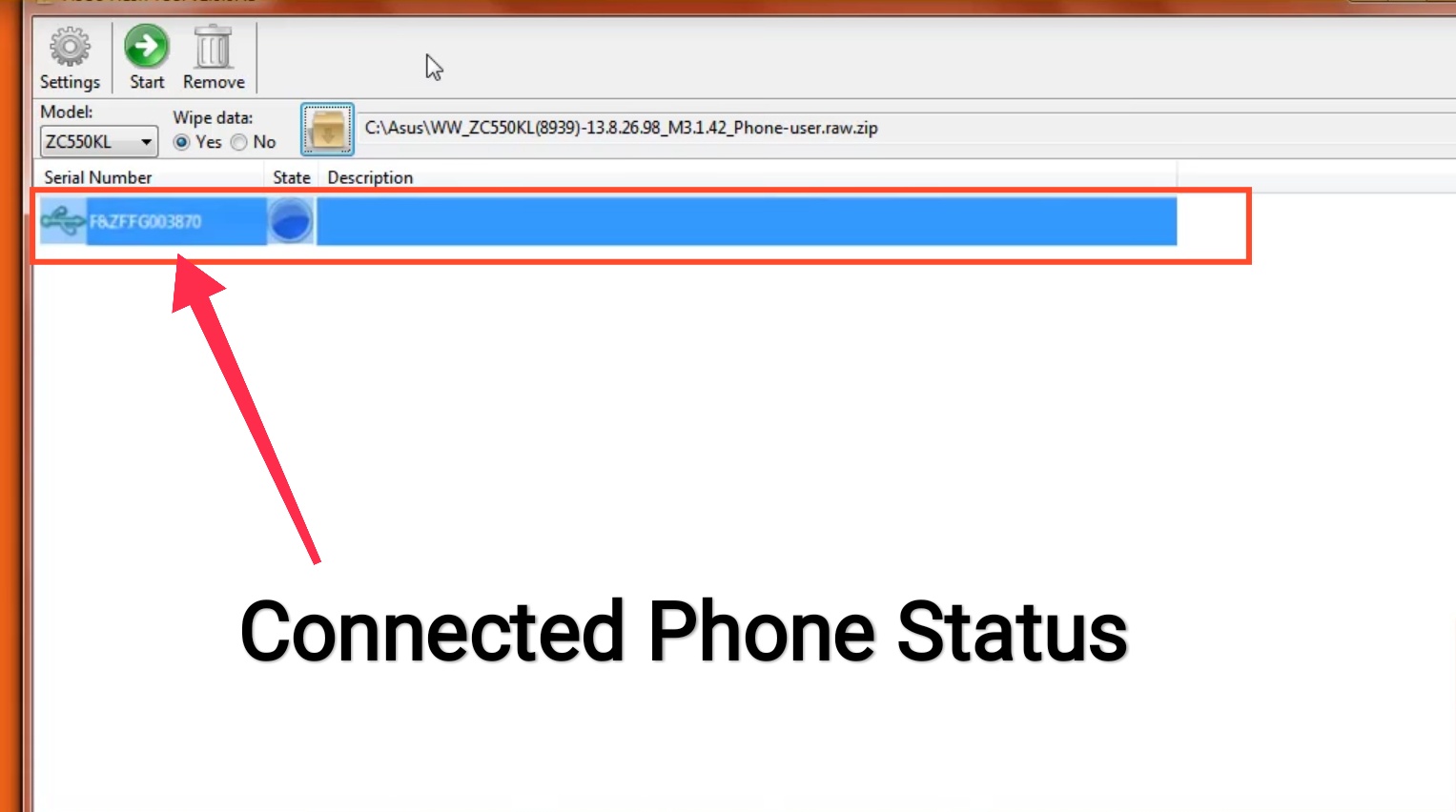
Step.9 Now you Now Connect Your Device To Windows Computer. Once Your Device is Connected it Serial Number will be Shown As below.
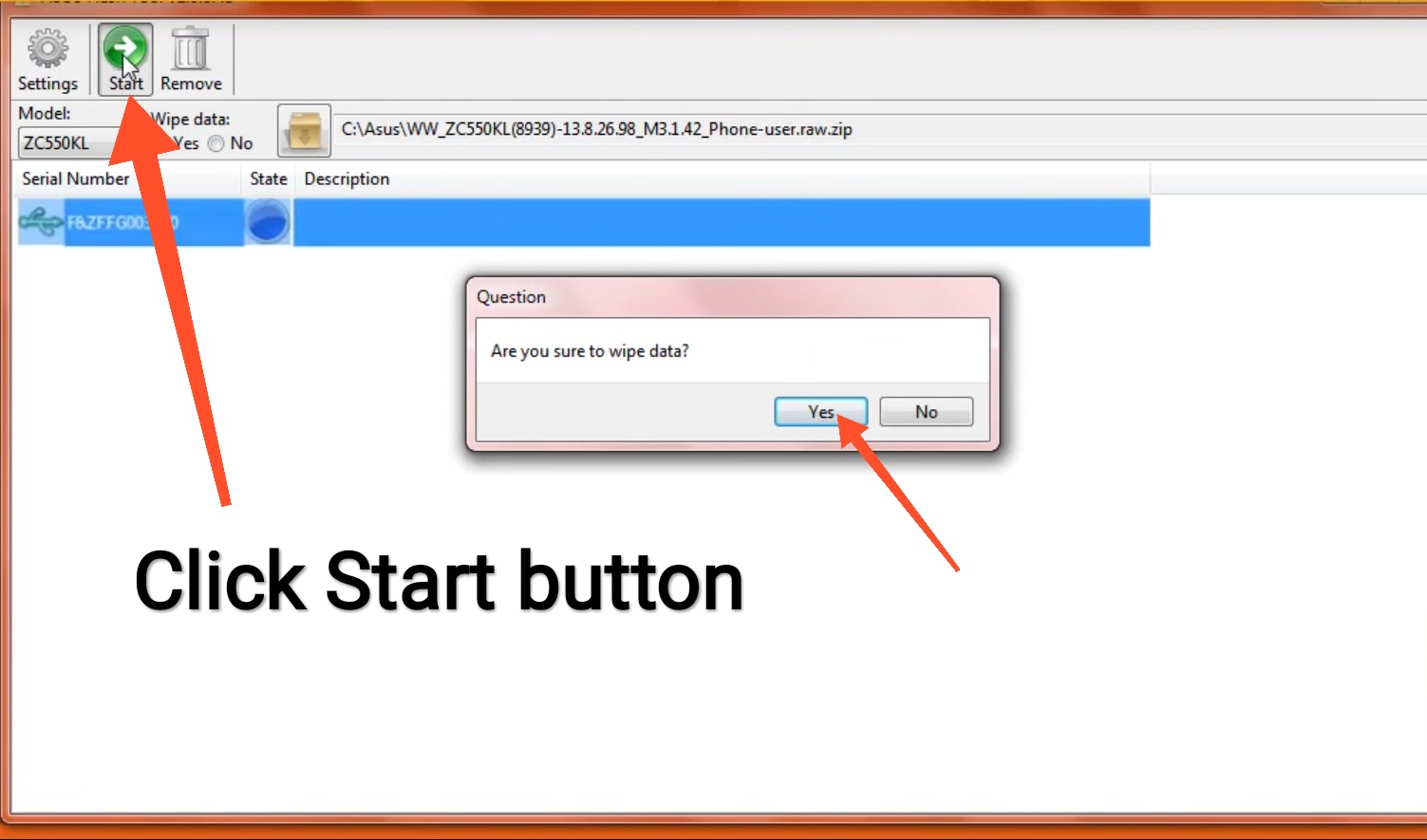
Step.10 After everything is correct Than you have to click on the Start button. As soon as you click on the Start button, your Mobile Flash gets started.
Step.11 Mobile Flashing Compete seems to be a 6-10 Minutes after your mobile is the best boot in which you have made the successful ROM firmware Flash. Wait until the progress bar inside turns fully green, which means the ROM has been successfully installed.

Then your device should automatically boot. This way you can install any Smartphone or Tablet of Asus. Hope this Tutorial Guide will Help you to Flash Asus Phone and Tablets
Leave a Reply