
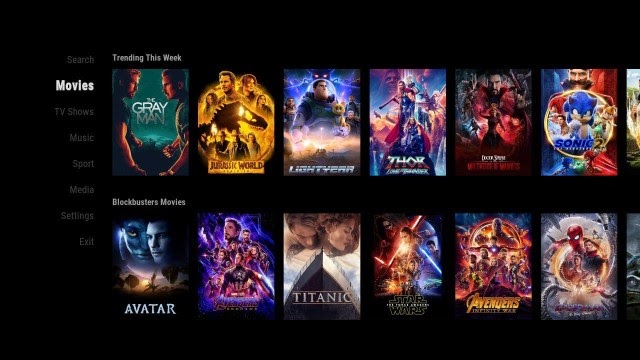

Guide Install Resurrection Build Kodi 2022.
Resurrection is a New Kodi 19 Build and can be installed through Funs Wizard . This Build will work on Windows, Android, Mac, iOS, and Fire TV devices.
It has sections for Movies, Tv shows, Sports, Live TV, And More.
Guide for installing the Resurrection Build On Kodi.
– HOME Screen > Add-ons > Settings button  > Be sure to set Unknown Sources to On and Update Official Add-ons from Any Repository for future updates.
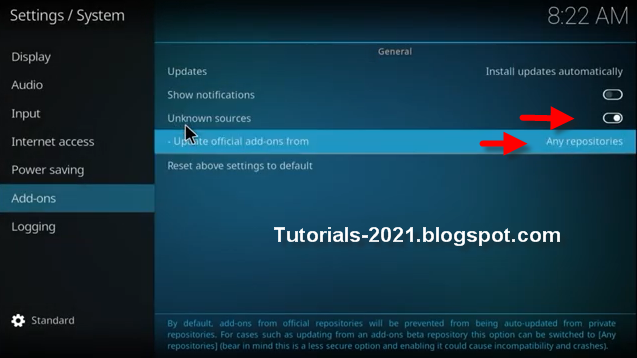
– Go back to your Home Screen
– Select Settings button
– Select File Manager 
– Select Add Source.
– Select Name
– Enter https://funstersplace.net/funs in the top box
– Enter FUNS in the bottom box > Click OK.
– Go back to Home screen and Select Add-ons
– Click the add-on browser 
– Select Install from zip file > (Click YES to the warning)
– Select FUNS
– Select repository.funstersplace-x.x.zip.
– Wait for Add-On Enabled Notification
– Select Install from repository
– Select Funsersplace 19 Repository
– Select Program Add-Ons
– Select Funs Wizard
– Select Install
– funs wizard is now installed and ready to use.
– BACK to HOME screen > Add-ons > Program Add-ons > funs wizard
– Click Build Menu
– Select Builds
– Select Your build – Resurrection Build – > Install (Fresh install).
– Select Yes, Install.
– The build will now download and install.
– Click OK when finished and that will force close Kodi.
– Open Kodi and leave for a couple of minutes so any updates can be completed.
Leave a Reply