
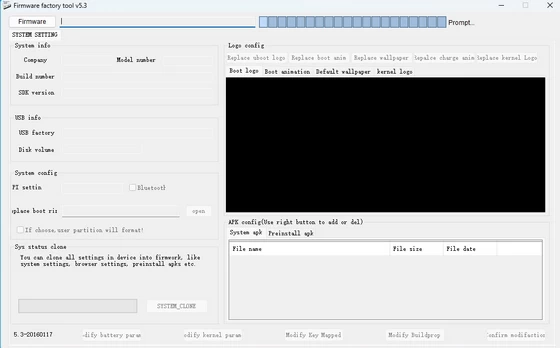
Rockchip Factory Tool can be used to edit and modify Rockchip Android firmwares.

Download Rockchip Firmware FactoryTool v5.3 from here or from here. (45 MB)
Download Rockchip Firmware FactoryTool v5.0 from here.
With Rockchip Firmware FactoryTool v5.3 you can also make a system clone of system settings and userdata and combine it into a new rom. It saves the data to internal SD.
Rockchip Firmware Factory Tool Features
– Simple Interface: This Rockchip flash tool comes with a simple user interface. Therefore using it for flashing firmware in your device is not a difficult task at all.
– Supports All Rockchip Devices: This flash tool supports flashing the firmware on all Rockchip Android devices, including RK312A, RK3188, RK3066, RK2918, etc., via two options “Restore” and “Upgrade.” You can use any one of these options to flash firmware in your device.
– Detects Chipset: The Rockchip firmware Factory tool detects the chipset of your device as soon as you connect it with your computer. Also if you load a firmware that is not compatible with your device’s chipset, it will let you know immediately.
Did this article help you? If so, please tell me in a comment what do you think about it.
Don’t miss any of our future video tutorials, follow us on Youtube. Like us on Facebook. Add us in your circles on Google+. Watch our photo albums on Flickr.
Leave a Reply