
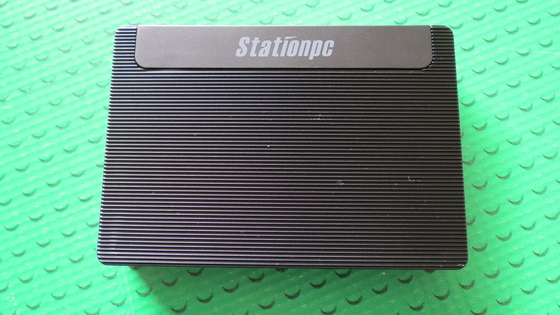
This firmware is for Firefly Station M2 Geek Mini PC with Rockchip RK3568 as CPU. BTW, you can buy Firefly Station M2 Geek Mini PC from Firefly.store starting from only $119, depending on specs.

Download Station OS v1.3.1.11 firmware for Firefly Station M2 Geek Mini PC from here. Download previous firmwares from here.
Firmware details
Archive name: Station_M2_Station_OS_V1.3.1.11_eMMC_20220523-20220619T085034Z-001
Image: update.zip
Archive file size: 1.2 GB
Model: Firefly Station M2 Geek Mini PC
Platform: Rockchip RK3566
Build number:
Changelog
Settings
– Optimized HDMI CEC function. Currently, the supported buttons are Up, Down, Left, Right, OK and Back.
– Station device is turned off by default and it does not go into hibernation mode with TV (it also requires TV and other display device to support HDMI CEC)
– Added SMB Server
– Optimized the detection of free space
Video Player
– Added subtitle search function in video player
WiFi
– Optimized the disconnection problem when wifi sleeps
Installation Guide
Step 1: Download firmware from the above link.
Step 2: Copy update.zip to root directory of U stick or TF card.
Step 3: Insert U stick or TF card to Station PC, power on.
Step 4: After powering on (it takes some time), click “Install” on the pop-up.

Caution Please do not update firmware unless you know what you are doing, you really want it or it is absolutely necessary. Firmware updates may occasionally have bad results, like bricking your device, temporarily or permanently. The firmware update process is done entirely at your own risk. Before attempting to update the firmware, back up your data.
Did this article help you? If so, please tell me in a comment what do you think about it.
Don’t miss any of our future video tutorials, follow us on Youtube. Like us on Facebook. Join our Best Deals Telegram Channel. Join our Android TV Box Firmware Updates Telegram Channel. Subscribe now to our newsletter.
Leave a Reply